Telegram Channel
Sync Telegram Channel Subscribers and send Automated DMs
Serge Borisov
What you'll learn
Connect your CRMChat workspace to the Telegram Channel Sync bot using an API key.
Configure the bot to automatically sync new subscribers and unsubscribers from your Telegram channel into your CRM pipeline.
Perform a one-time sync to import all existing members from your channel.
Set up dynamic, automated Direct Message (DM) campaigns, such as welcome messages for new subscribers or important updates and offers.
Subscribe to my Telegram Channel to see how the welcome message works!
Connecting Your Workspace and Channel
To begin, you need to establish a connection between your Telegram channel and your CRMChat workspace. This is done by providing the Channel Sync bot with an API key from your CRM.Chat account, which authorizes it to manage contacts in a specific workspace.
In Telegram, find and start a chat with the Channel/Chat Sync by CRMChat bot.
The bot will ask for your CRMChat API key.
Navigate to your CRMChat main app, go to Settings > API Keys.
Create a new API key or copy an existing one.
Paste the key into the chat with the bot.
If your key has access to multiple workspaces, the bot will display a list. Select the workspace you want to sync your channel members to.
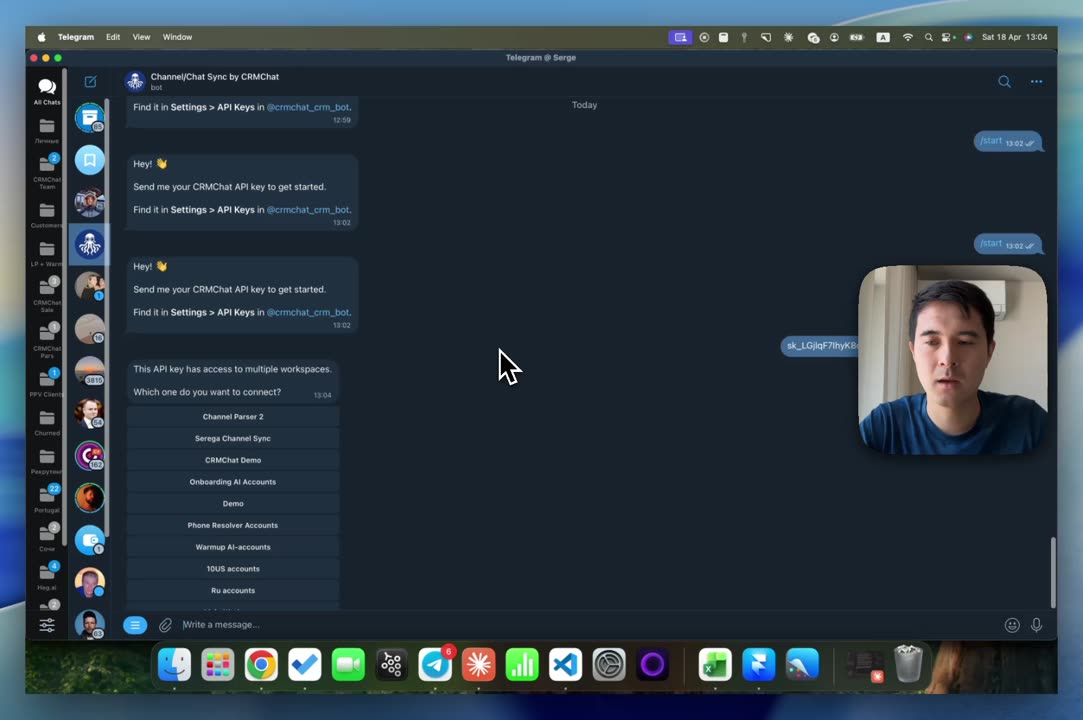
Once the workspace is connected, you must add the bot to your Telegram channel as an administrator. This allows the bot to see when new members join or leave.
In your Telegram channel, go to Channel Info > Administrators > Add Admin.
Search for the @crmchatchannelbot and add it. No specific permissions are required; basic admin status is sufficient.
The bot will send a confirmation message in your chat, indicating it has been successfully added to the channel.
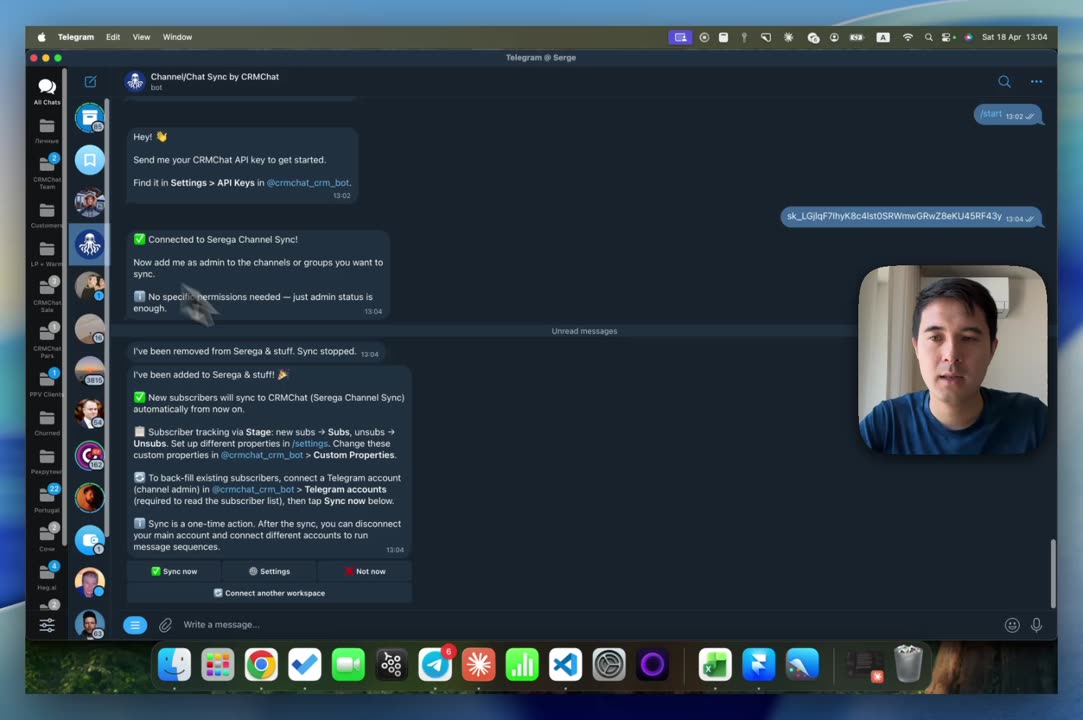
Syncing Your Existing Channel Subscribers (Optional)
With the connection established, new subscribers will automatically be added to your CRM. However, to import all of your existing subscribers, you need to perform a one-time sync. This process requires connecting a personal Telegram account that is also an admin in the channel, as this is a requirement from Telegram to access the full member list.
In the CRMChat app, navigate to Outreach > Telegram Accounts.
Click Add Telegram account and follow the on-screen instructions to log in with your phone number and the code you receive in Telegram. This account must be an administrator in the channel you are syncing.
Return to your Telegram chat with the Channel/Chat Sync bot.
Click the Sync now button.
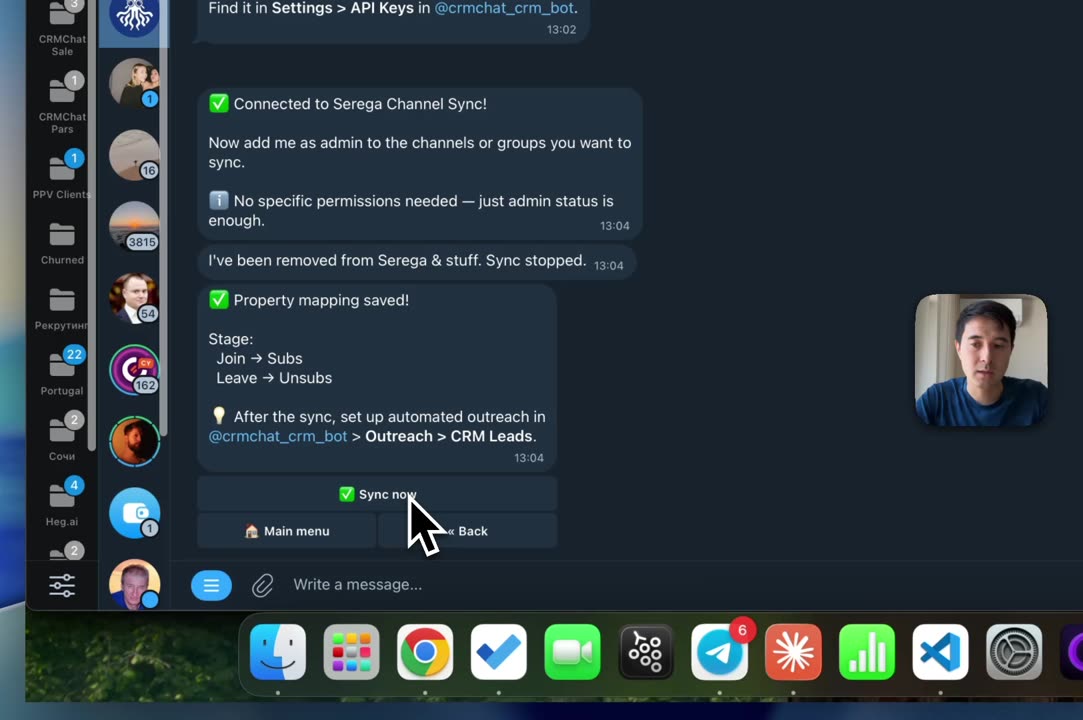
The bot will begin syncing all existing members from your channel into the CRM with the custom property of your choice. You can watch the progress in real-time.
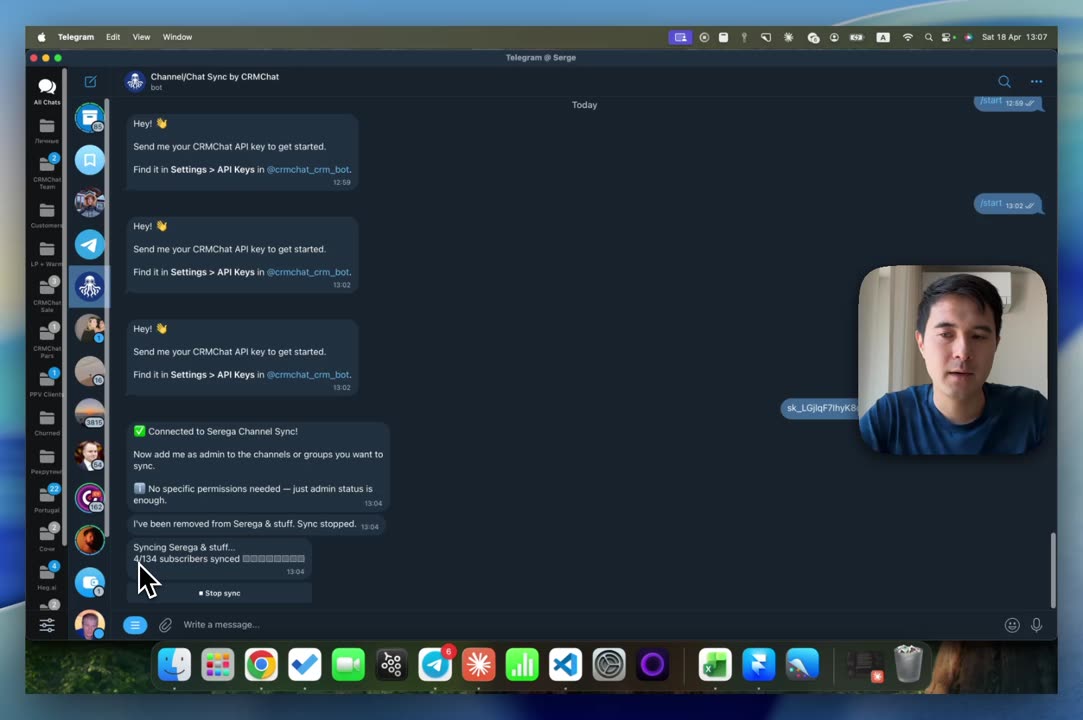
The sync also tracks when users leave. When a member unsubscribes from your channel, their contact in CRMChat will automatically be assigned with the custom property of your choice. This keeps your subscriber list clean and up-to-date.
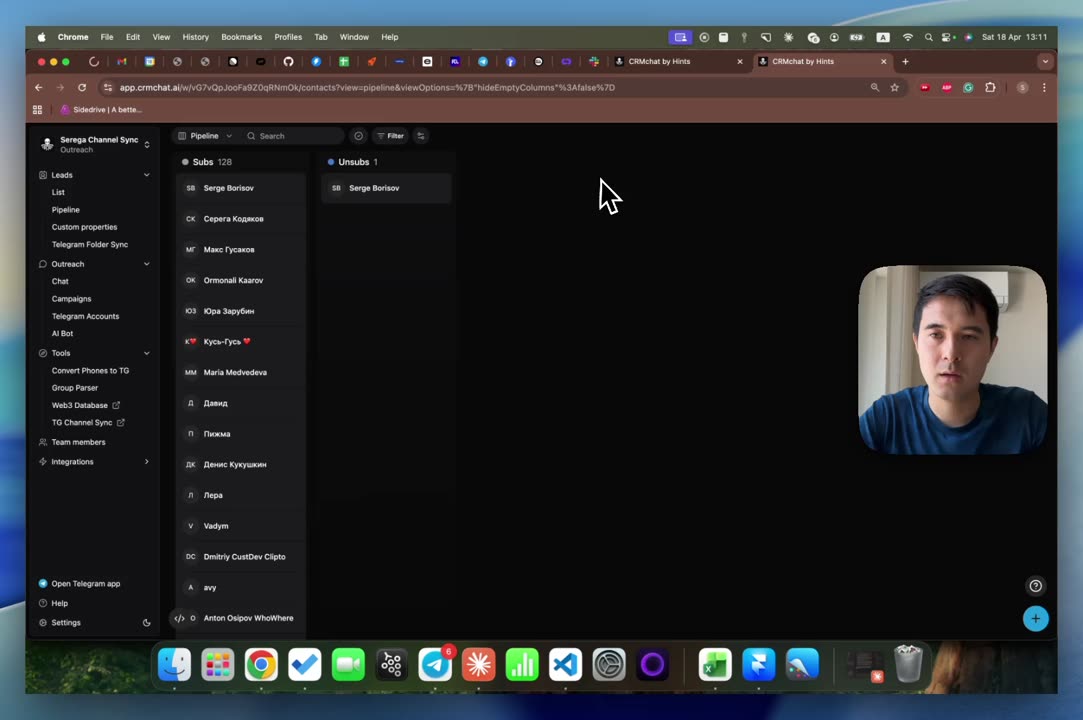
Setting up Automated DM Outreach to Telegram Channel Subscribers
Now that your subscribers are being synced into your CRM, you can engage with them through automated outreach campaigns. A common and effective use case is sending an automated welcome message to every new subscriber with an intro, or sending updates with important news, offers, or discounts.
In your CRMChat workspace, go to Outreach > Campaigns.
Click New campaign and select Leads from CRM.
Choose the Dynamic campaign type. This ensures that any new lead matching your filters will be automatically added to this campaign.
Click Add filter and set it the custom property (Stage: Subs in our case). This targets all current and future members in your 'Subs' pipeline stage.
Click Create campaign.
Add your first message. For example, a welcome text like: "Hey, welcome to the channel!"
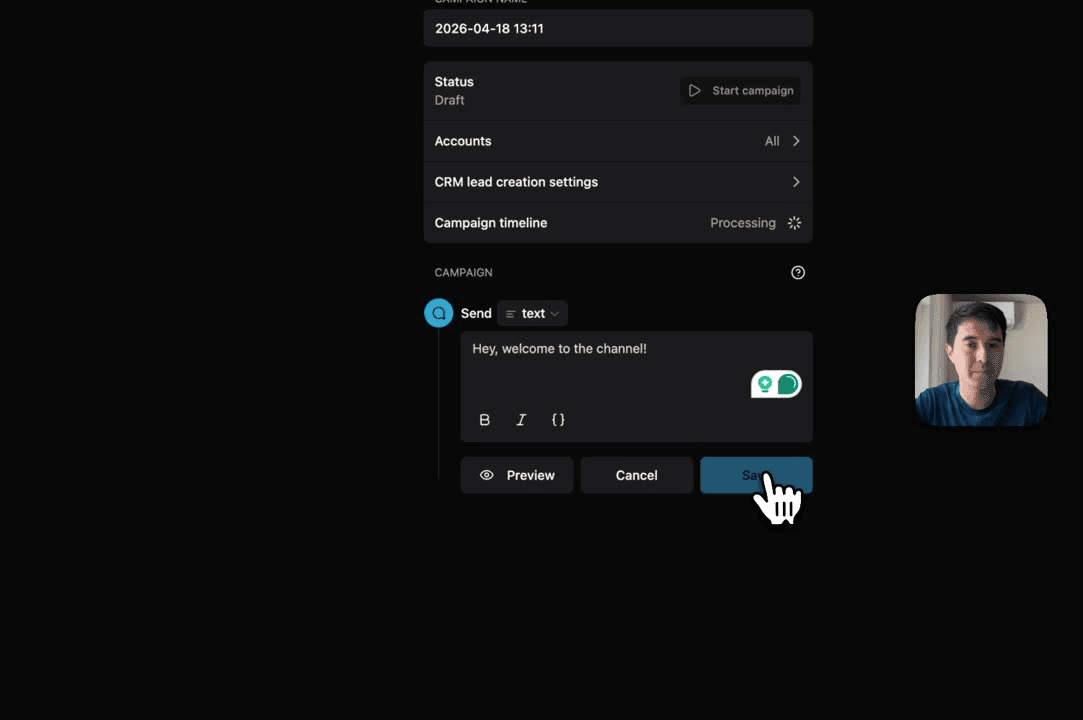
Once you start this campaign, every new person who joins your Telegram channel will be synced to your CRM and automatically receive your personalized welcome message.
Summary
In this lesson, you learned how to integrate your Telegram channel with CRMChat to create a powerful system for managing and engaging your audience. By syncing subscribers into a structured pipeline, you can track audience growth and automate personalized outreach, turning your channel from a simple broadcast tool into an interactive marketing and communication platform.
Related Articles
Check articles from the same category